No AI subscription?
It runs free on your computer.
- One click downloads a free AI and sets it up for your computer
- It joins the team like any other: same conversation, same files, same tools
- Mix it in with Claude or Codex, or use it on its own
Pragma puts every AI you use in one place, so they share the work, check each other and hand you one answer. Claude, Codex, Gemini and the AI on your own computer, working as one team, with the logins you already have.
Live, not a screenshot. Tap Allow when Fenn asks.
Why Pragma
Every AI is good at something different, so most people end up copying work from one app to another. Pragma brings them together in one workplace, with a team of companions, each with a name, a face and its own AI. You work with them like people. They ask before they act.
Pick a companion, give it a name and a job, and choose the AI it thinks with. Each one has its own face, its own computer and a memory of how you like things done.
Pragma uses the Claude, Codex, Qwen and Grok you already have, with your own subscriptions and nothing in between. No subscription? It runs a free AI on your own computer. Your chats and keys stay on your machine, not in somebody's cloud.
Every command, file change and question shows up as a card in the chat. Allow it, say no, or just answer back.
How it works
On Windows or Mac. It finds the AI already on your computer by itself.
Choose who is on your team and the AI each one thinks with: the ones you already pay for, or a free one on your computer.
Say what you need in plain words. Your companions share the work, check each other and hand you one finished result.
Better together
Claude plans, Codex builds and the AI on your own computer checks the work. They share one conversation, one folder and the same tools, and pass the work along, so each part goes to the one best placed to do it. You get one finished result.
No AI subscription?
Claude, Codex, Qwen, Grok and Gemini
The proof
We asked the same AI for the same three jobs, once in a plain AI chat and once in Pragma. Nothing else changed.
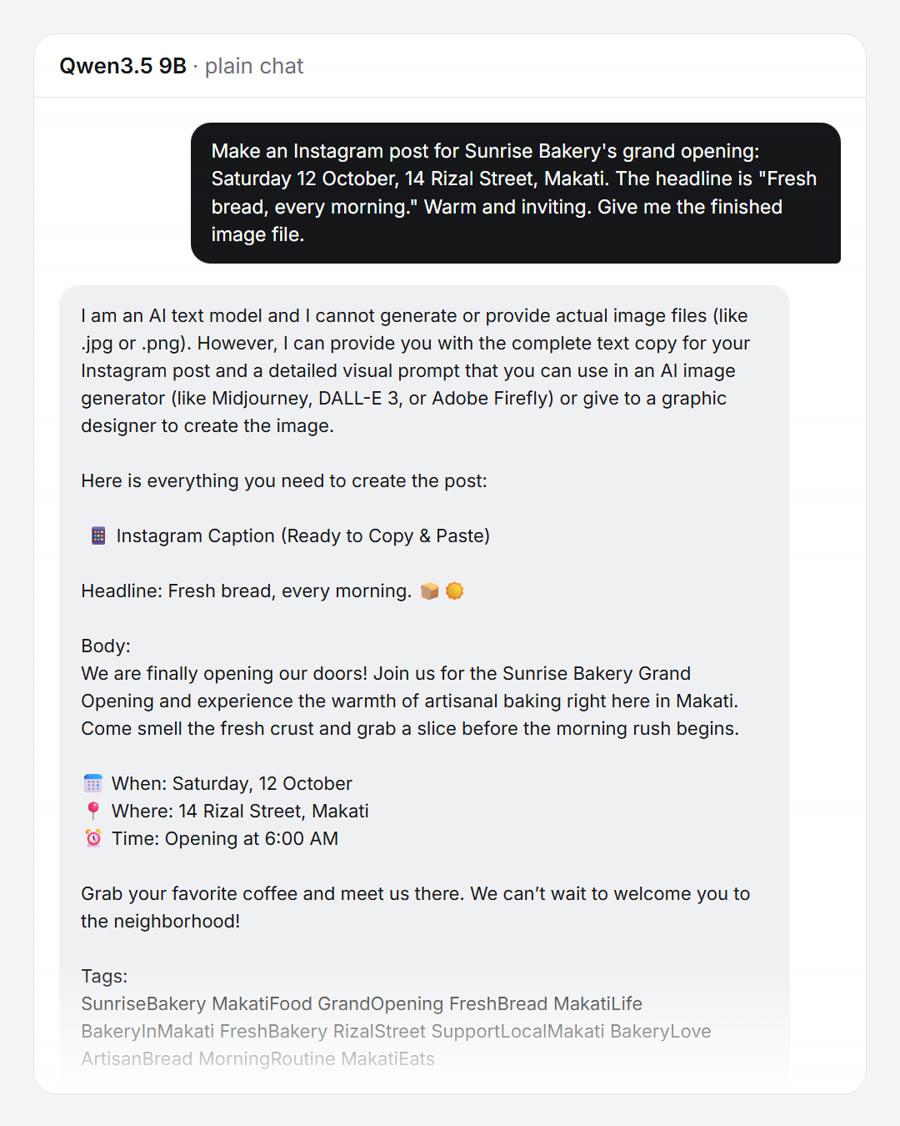
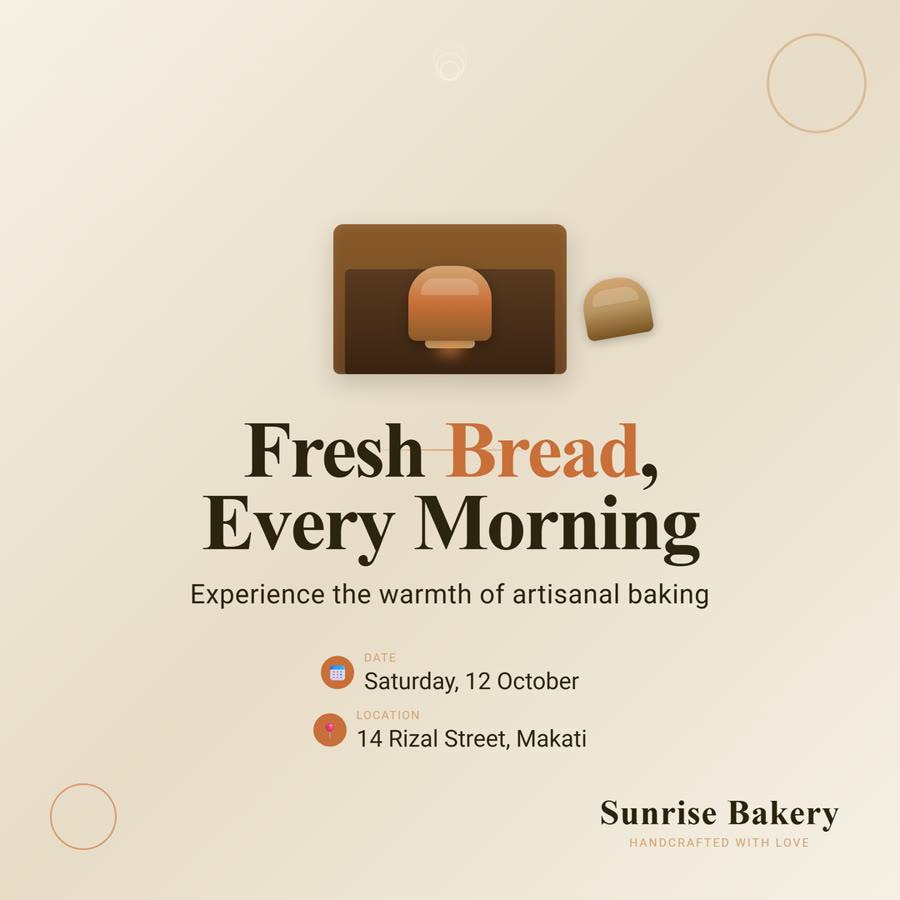
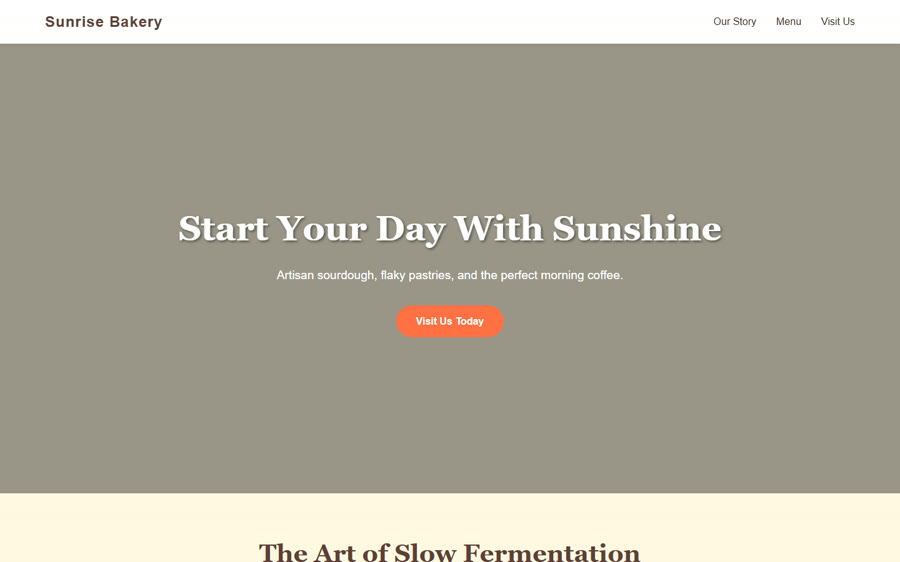
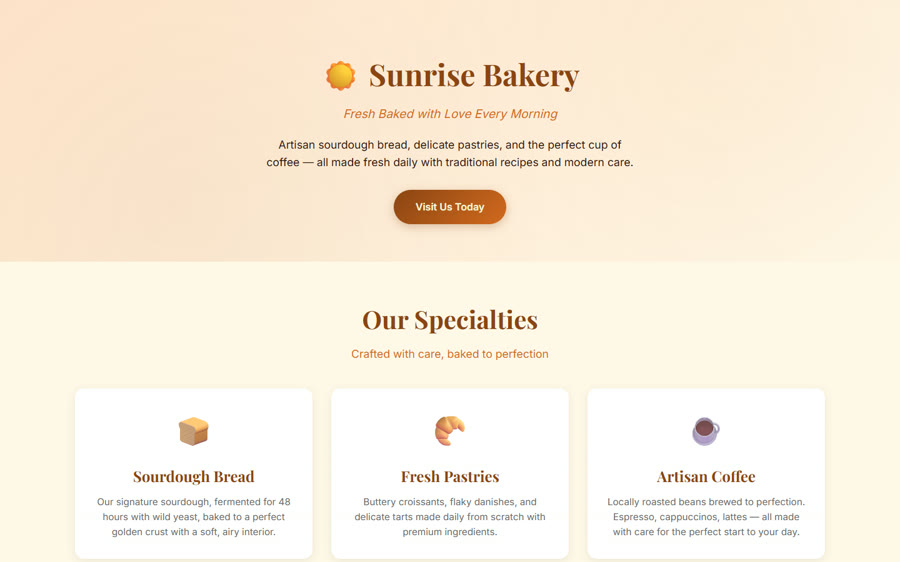
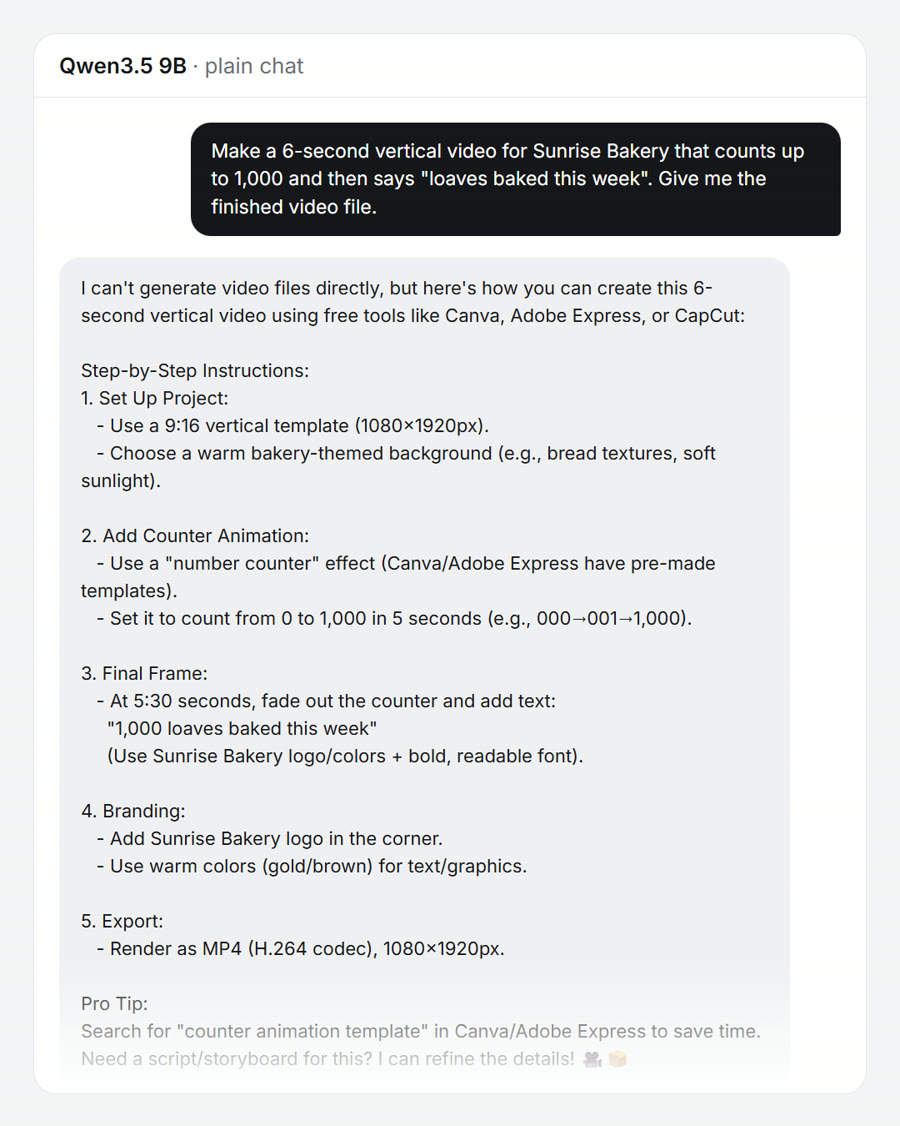
The AI in both runs is Qwen3.5 9B, a free model, on the same computer (an RTX 5070 graphics card), with the same prompt. The plain run is llama.cpp's own chat; the Pragma run is a companion in auto mode, and the prompts were never edited. Our first run caught Pragma failing two of these, a page hidden behind a broken animation and a count that never moved. We fixed Pragma, not the prompts, and ran it again: this is that run. We also gave the same requests to Hermes Agent on the same model: see what each one made.
Meet Pip. Mallow has a big idea, and every stop used to mean explaining it again. Pip brings the AIs together, so the work moves forward on one brief. A paper film, built and animated in Blender, with its own sound.
Companions
Each companion has a face, a name and a job. Talk to one, or put several in a channel: everyone you mention answers at once, and a team routine hands out the work and brings it back.
Teams
Bring your team into Pragma. Talk in channels, hand out tasks, and call on each other's companions when you need a hand. Pip, the team's own assistant, keeps the board up to date.
Channels, direct messages, replies and files. Invite people by email, link or code, and give each one a role.
Ask Pip to add, update or assign a task and it is on the board, with a timeline beside it. Pip nudges people when something is due.
Mention a teammate's companion and it answers in the chat. With Remote work it can even work in their folder, and its owner can have it work in a copy and review the changes before anything lands.
@Fenn draft the launch email from the notes in our folder?

Done, it is in the folder. I asked @Juno to check the prices against the sheet.

Prices match. One link was broken; Fenn has the fix.

Added Send launch email to the board for Friday, assigned to Maya.
What every bot gets
Each one of these is working, not a picture. Press things.
Approvals
Shell, files, spending, sending: each one arrives as a card, and the call is yours. Allow once, allow for this thread, or never.
Kiko wants to run a commandin ~/work/pragma
$ pnpm test --filter serverBrains
Give a bot more than one model and say what each is for, or switch its model mid-thread and nothing resets. Reasoning effort is set per model, low to max.
Hands
Its own machine. Watch it work, or take the controls.
Reach
Sign in to an app one time and every bot can use it, local models included. It follows your sign-in to every computer you use.
and 500+ more through Composio, with GoHighLevel built in
Pragma runs on Claude Code, Codex, Qwen, Grok, Gemini and local models, with your own logins and keys.
Questions
It does not change a model. It changes what the model can reach and who it works with: room to think, a computer and your apps, step-by-step know-how written from real production work, checks on its own work, and other models for the parts they do best. The comparison above is one small model, with and without that.
Only for the models you want to use. Pragma runs the agent tools already signed in on your computer, so each model uses the subscription you already pay for. A model on your own graphics card needs no account at all.
Starter is $9 a month, Pro $19 and Advanced $39, or Advanced for life at $1,999 once. Every plan has all of Pragma and every update; they differ in Pragma Live meeting hours and your own domains. Cancel any time, with a 30-day money-back guarantee. Checkout is run by Freemius, our merchant of record. Already installed Pragma before it went on sale? Your copy keeps its updates free.
Claude Code, Codex, Qwen, Gemini, Grok and the other agent CLIs already on your computer, with your own logins. No subscription? Pragma downloads an open model and runs it on your graphics card.
Plans from $9 a month.
Version 1.3.63, for Windows and macOS. From $9 a month, with every update.
Windows, Apple silicon and Intel Macs. 30-day money-back guarantee. Want to help shape it? Join the alpha.
Bring your own agent: Pragma runs on the Claude, Codex or Qwen subscription you already pay for, or free on a model it runs on your own graphics card.